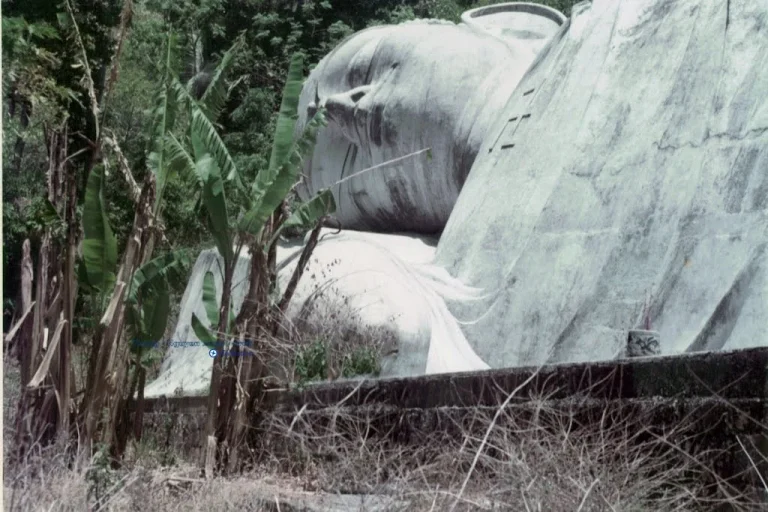
Dịch vụ thuê xe 7 chỗ Bến Tre năm 2026: Hướng dẫn toàn diện, chi tiết, uy tín, giá tốt – Dịch vụ thuê xe 7 chỗ Bến Tre năm 2026: Hướng dẫn toàn diện, chi tiết, uy tín, giá tốt (Ảnh 1)
Dịch vụ thuê xe 7 chỗ Bến Tre năm 2026: Hướng dẫn toàn diện, chi tiết, uy tín, giá tốt – Dịch vụ thuê xe 7 chỗ Bến Tre năm 2026: Hướng dẫn toàn diện, chi tiết, uy tín, giá tốt (Ảnh 2)
Dịch vụ thuê xe 7 chỗ Bến Tre năm 2026: Hướng dẫn toàn diện, chi tiết, uy tín, giá tốt – Dịch vụ thuê xe 7 chỗ Bến Tre năm 2026: Hướng dẫn toàn diện, chi tiết, uy tín, giá tốt (Ảnh 3)
Câu hỏi thường gặp về Dịch vụ thuê xe 7 chỗ 벤째 năm 2026: Hướng dẫn toàn diện, chi tiết, uy tín, giá tốt (2026)
Q: Dịch vụ thuê xe 7 chỗ tại Bến Tre năm 2026 phù hợp cho gia đình và nhóm từ bao nhiêu người?
A: Năm 2026, thị trường Bến Tre có đa dạng xe 7인승 SUV/MPV từ MPV đến SUV như Toyota Innova Crysta, Fortuner 7 chỗ, Hyundai Santa Fe, Kia Sedona và Mitsubishi Xpander, phù hợp cho gia đình 4–7 người hoặc nhóm nhỏ di chuyển tham quan địa phương.
Q: Làm sao để chọn dịch vụ thuê xe 7 chỗ ở Bến Tre năm 2026 uy tín và tránh rủi ro?
A: Chọn nhà cung cấp có giấy phép, bảo hiểm đầy đủ, hợp đồng rõ ràng, phản hồi từ khách hàng, điều khoản hủy linh hoạt và giá niêm yết kèm thông tin liên hệ hỗ trợ 24/7.
Q: Các yếu tố ảnh hưởng đến giá thuê xe 7 chỗ tại Bến Tre năm 2026 là gì và có gói giá tốt cho chuyến tham quan?
A: Giá gồm phí cơ bản, phí lái xe (nếu có), nhiên liệu, giới hạn quãng đường, bảo hiểm, phụ phí địa phương và phí đỗ; nhiều đơn vị có gói ngày hoặc combo tour giúp tối ưu chi phí.
Q: Quy trình đặt xe 7 chỗ ở Bến Tre năm 2026 từ lúc đặt đến nhận xe diễn ra như thế nào?
A: Chọn xe → nhận báo giá → ký hợp đồng và 지불하다 đặt cọc → nhận xe tại địa điểm mong muốn → kiểm tra xe, nhận biên bản bàn giao và hỗ trợ 24/7 trong thời gian thuê.
Q: Có thể thuê kèm lái xe cho xe 7 chỗ ở Bến Tre năm 2026 không và khi nào nên chọn dịch vụ này?
A: Có, thuê kèm lái xe phù hợp cho lịch tham quan địa phương hoặc hành trình dài; lái xe có bằng và hiểu biết địa phương, chi phí sẽ cao hơn và cần thỏa thuận trước về giờ giấc và khu vực.
🌟 다음 글도 관심 있으실 거예요 (훌륭한 블로그):
이것이 보이는 이유는 다음과 같습니다. WP_DEBUG 및 WP_DEBUG_DISPLAY 이 웹사이트에서는 이러한 기능이 활성화되어 있습니다. 개발자 디버그 메시지가 표시되지 않도록 하려면 이 기능을 비활성화하십시오.
- The `the_content` filter applied.
true
- Is supported post type?
true
- Is auto insert for post types?
false
- Not supported post type or insert TOC is disabled.
false
이것이 보이는 이유는 다음과 같습니다. WP_DEBUG 및 WP_DEBUG_DISPLAY 이 웹사이트에서는 이러한 기능이 활성화되어 있습니다. 개발자 디버그 메시지가 표시되지 않도록 하려면 이 기능을 비활성화하십시오.
- The `the_content` filter applied.
true
- Is supported post type?
true
- Is auto insert for post types?
false
- Not supported post type or insert TOC is disabled.
false
이것이 보이는 이유는 다음과 같습니다. WP_DEBUG 및 WP_DEBUG_DISPLAY 이 웹사이트에서는 이러한 기능이 활성화되어 있습니다. 개발자 디버그 메시지가 표시되지 않도록 하려면 이 기능을 비활성화하십시오.
- The `the_content` filter applied.
true
- Is supported post type?
true
- Is auto insert for post types?
false
- Not supported post type or insert TOC is disabled.
false
이것이 보이는 이유는 다음과 같습니다. WP_DEBUG 및 WP_DEBUG_DISPLAY 이 웹사이트에서는 이러한 기능이 활성화되어 있습니다. 개발자 디버그 메시지가 표시되지 않도록 하려면 이 기능을 비활성화하십시오.
- The `the_content` filter applied.
true
- Is supported post type?
true
- Is auto insert for post types?
false
- Not supported post type or insert TOC is disabled.
false
이것이 보이는 이유는 다음과 같습니다. WP_DEBUG 및 WP_DEBUG_DISPLAY 이 웹사이트에서는 이러한 기능이 활성화되어 있습니다. 개발자 디버그 메시지가 표시되지 않도록 하려면 이 기능을 비활성화하십시오.
- The `the_content` filter applied.
true
- Is supported post type?
true
- Is auto insert for post types?
false
- Not supported post type or insert TOC is disabled.
false
이것이 보이는 이유는 다음과 같습니다. WP_DEBUG 및 WP_DEBUG_DISPLAY 이 웹사이트에서는 이러한 기능이 활성화되어 있습니다. 개발자 디버그 메시지가 표시되지 않도록 하려면 이 기능을 비활성화하십시오.
- The `the_content` filter applied.
true
- Is supported post type?
true
- Is auto insert for post types?
false
- Not supported post type or insert TOC is disabled.
false
이것이 보이는 이유는 다음과 같습니다. WP_DEBUG 및 WP_DEBUG_DISPLAY 이 웹사이트에서는 이러한 기능이 활성화되어 있습니다. 개발자 디버그 메시지가 표시되지 않도록 하려면 이 기능을 비활성화하십시오.
- The `the_content` filter applied.
true
- Is supported post type?
true
- Is auto insert for post types?
false
- Not supported post type or insert TOC is disabled.
false
이것이 보이는 이유는 다음과 같습니다. WP_DEBUG 및 WP_DEBUG_DISPLAY 이 웹사이트에서는 이러한 기능이 활성화되어 있습니다. 개발자 디버그 메시지가 표시되지 않도록 하려면 이 기능을 비활성화하십시오.
- The `the_content` filter applied.
true
- Is supported post type?
true
- Is auto insert for post types?
false
- Not supported post type or insert TOC is disabled.
false
이것이 보이는 이유는 다음과 같습니다. WP_DEBUG 및 WP_DEBUG_DISPLAY 이 웹사이트에서는 이러한 기능이 활성화되어 있습니다. 개발자 디버그 메시지가 표시되지 않도록 하려면 이 기능을 비활성화하십시오.
- The `the_content` filter applied.
true
- Is supported post type?
true
- Is auto insert for post types?
false
- Not supported post type or insert TOC is disabled.
false
이것이 보이는 이유는 다음과 같습니다. WP_DEBUG 및 WP_DEBUG_DISPLAY 이 웹사이트에서는 이러한 기능이 활성화되어 있습니다. 개발자 디버그 메시지가 표시되지 않도록 하려면 이 기능을 비활성화하십시오.
- The `the_content` filter applied.
true
- Is supported post type?
true
- Is auto insert for post types?
false
- Not supported post type or insert TOC is disabled.
false
이것이 보이는 이유는 다음과 같습니다. WP_DEBUG 및 WP_DEBUG_DISPLAY 이 웹사이트에서는 이러한 기능이 활성화되어 있습니다. 개발자 디버그 메시지가 표시되지 않도록 하려면 이 기능을 비활성화하십시오.
- The `the_content` filter applied.
true
- Is supported post type?
true
- Is auto insert for post types?
false
- Not supported post type or insert TOC is disabled.
false
이것이 보이는 이유는 다음과 같습니다. WP_DEBUG 및 WP_DEBUG_DISPLAY 이 웹사이트에서는 이러한 기능이 활성화되어 있습니다. 개발자 디버그 메시지가 표시되지 않도록 하려면 이 기능을 비활성화하십시오.
- The `the_content` filter applied.
true
- Is supported post type?
true
- Is auto insert for post types?
false
- Not supported post type or insert TOC is disabled.
false
이것이 보이는 이유는 다음과 같습니다. WP_DEBUG 및 WP_DEBUG_DISPLAY 이 웹사이트에서는 이러한 기능이 활성화되어 있습니다. 개발자 디버그 메시지가 표시되지 않도록 하려면 이 기능을 비활성화하십시오.
- The `the_content` filter applied.
true
- Is supported post type?
true
- Is auto insert for post types?
false
- Not supported post type or insert TOC is disabled.
false
이것이 보이는 이유는 다음과 같습니다. WP_DEBUG 및 WP_DEBUG_DISPLAY 이 웹사이트에서는 이러한 기능이 활성화되어 있습니다. 개발자 디버그 메시지가 표시되지 않도록 하려면 이 기능을 비활성화하십시오.
- The `the_content` filter applied.
true
- Is supported post type?
true
- Is auto insert for post types?
false
- Not supported post type or insert TOC is disabled.
false
이것이 보이는 이유는 다음과 같습니다. WP_DEBUG 및 WP_DEBUG_DISPLAY 이 웹사이트에서는 이러한 기능이 활성화되어 있습니다. 개발자 디버그 메시지가 표시되지 않도록 하려면 이 기능을 비활성화하십시오.
- The `the_content` filter applied.
true
- Is supported post type?
true
- Is auto insert for post types?
false
- Not supported post type or insert TOC is disabled.
false